

Console configuration
Accounts, Projects, Resources, Proxy clients, identity providers and agent policy.
Checked against the Evaluation environment, Console 0.10.1 / 0.14.1, on October 19, 2026. Release status
Everything AIGW does for a merchant integration is configured in the AIGW Console. This guide sets up the objects in the order you need them, then explains the settings you will come back to: Resource fields, signing keys, Agent policy and end users.
How the Console is organized
| Object | Lives in | What it holds |
|---|---|---|
| Account | Top level | Projects, team members, enabled identity providers, events, end users, billing and API keys. |
| Project | Account | The isolation boundary for one integration: Resources, agents and Agent policy, end users, Proxy clients and project team. |
| Resource | Project | The downstream system. Its kind, Token exchange or OAuth client, decides the role AIGW plays. |
| Proxy client | Project | The server credential your MCP or UCP service uses to authenticate to AIGW. Never give it to an agent. |
| Identity providers | Account, selected per Resource | How the person signs in during authorization. |
| Agent policy | Project, overridable per Resource | Whether a new agent is Approved, Pending or Rejected. |
Who owns the Account depends on who operates the integration. A merchant running its own MCP or UCP service normally owns it. A third-party provider normally owns it and creates merchant Resources in Projects it operates.
Create an account
On first sign-in the Console shows the Account selector. Choose Create Account, enter a name (the merchant or MCP provider organization works well), and create it. You become the Owner.
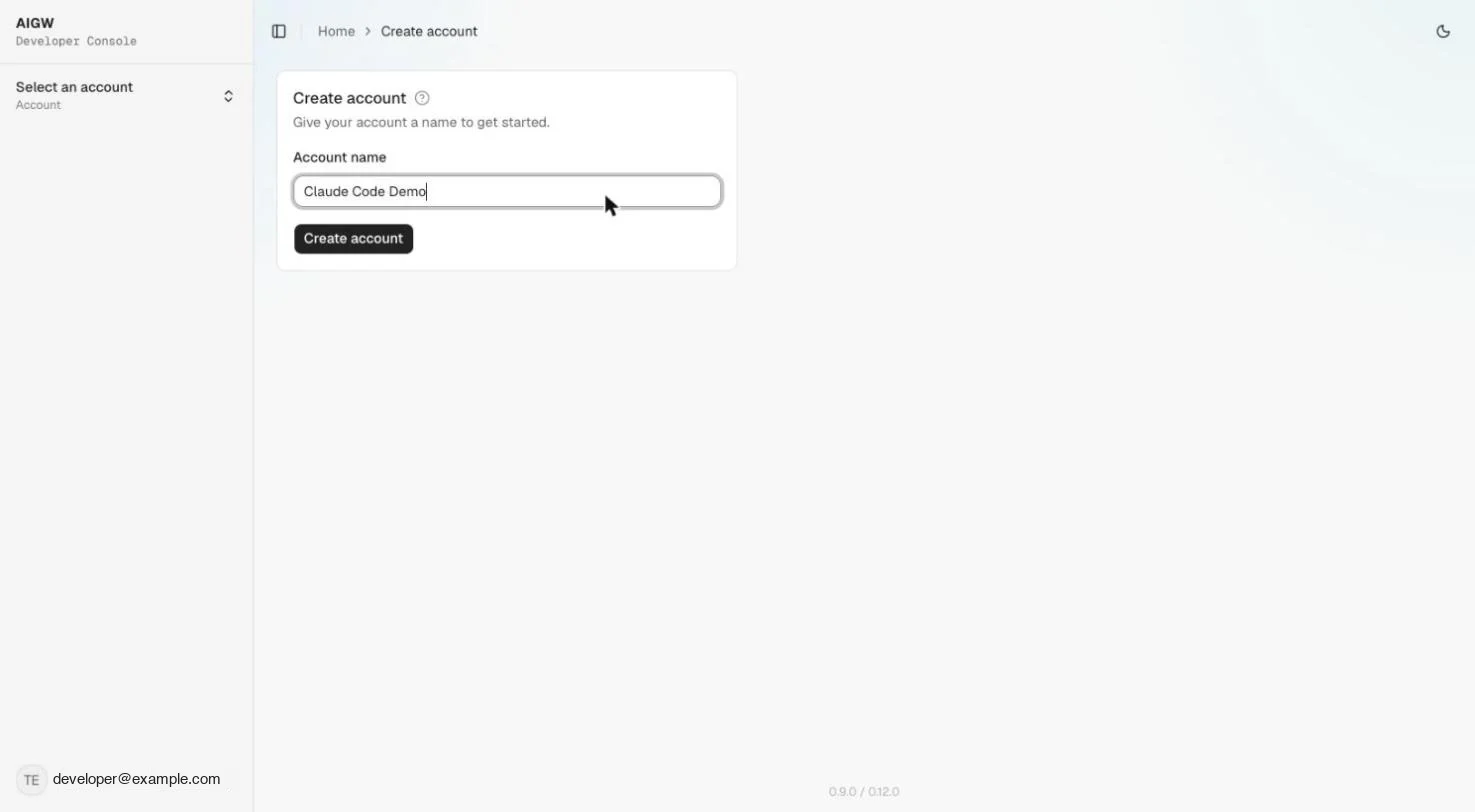
The Account home summarizes the last 30 days: agent sessions, discoveries, possession checks and consents. Use Team to invite members as Admin, Developer or Viewer with a single-use invite link, and Settings, API Management for account API keys. Treat API keys like any server-side secret.
Create a project
Go to Project Management, New Project. The name is the only input, and you can rename it later with the pencil icon. Name it after a real boundary, such as Acme MCP - Prod.
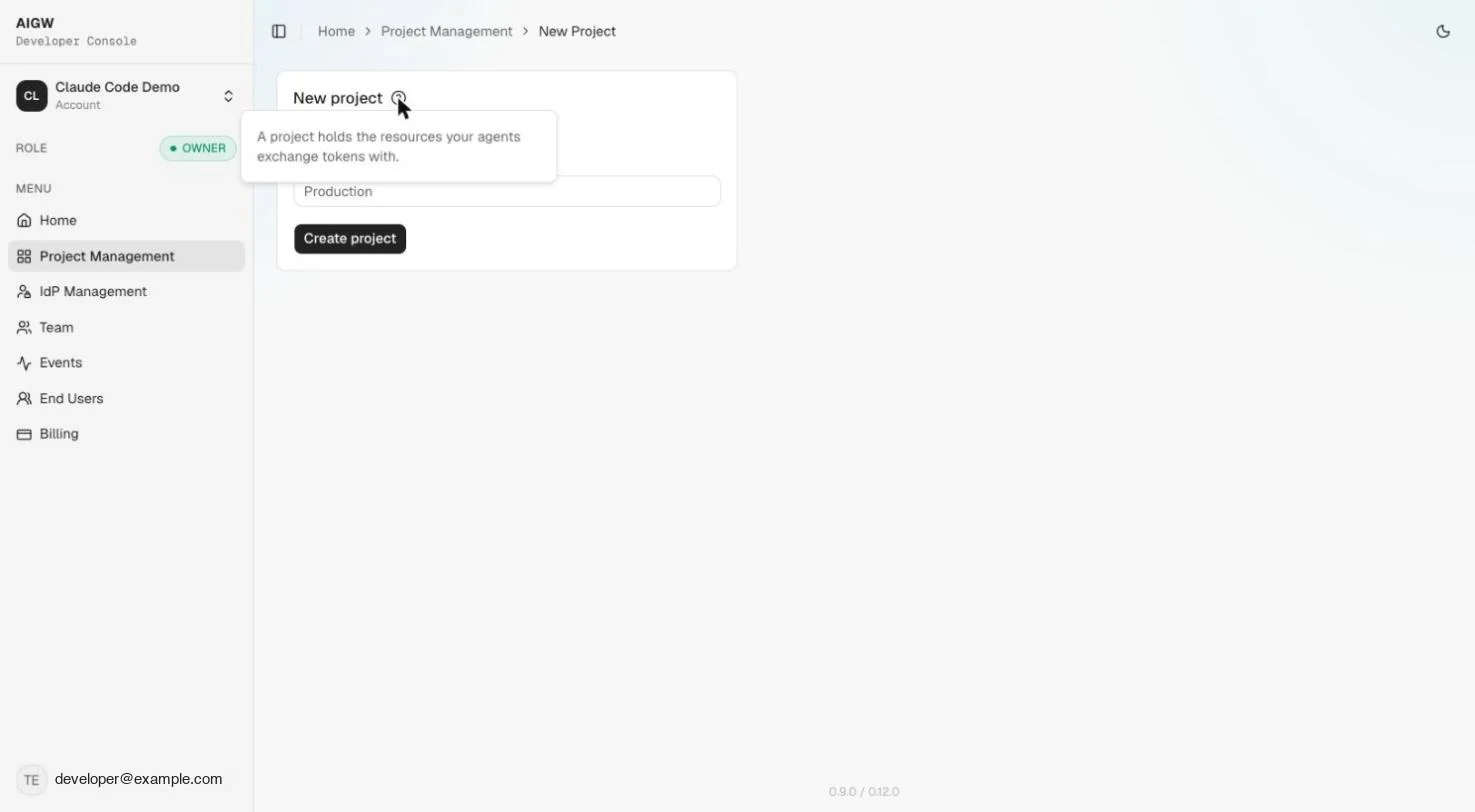
Keep the service and its users in one Project
Credential redemption only works when the user's AIGW token and the Proxy token come from the same Project. A Proxy client from Project A cannot redeem a user token from Project B.
Enable identity providers
Open IdP Management at the Account level and toggle on the providers your users should sign in with. Built-in providers need no configuration. Only providers enabled here can be selected on a Resource.
| Provider | Type shown in the Console |
|---|---|
| Apple | OIDC, Sign in with Apple |
| OIDC, Facebook Login | |
| OIDC, consumer and Workspace | |
| LoginID | Passkeys, passwordless |
| Microsoft | OIDC, consumer and work accounts |
| Phone verification | Phone possession and identity verification |
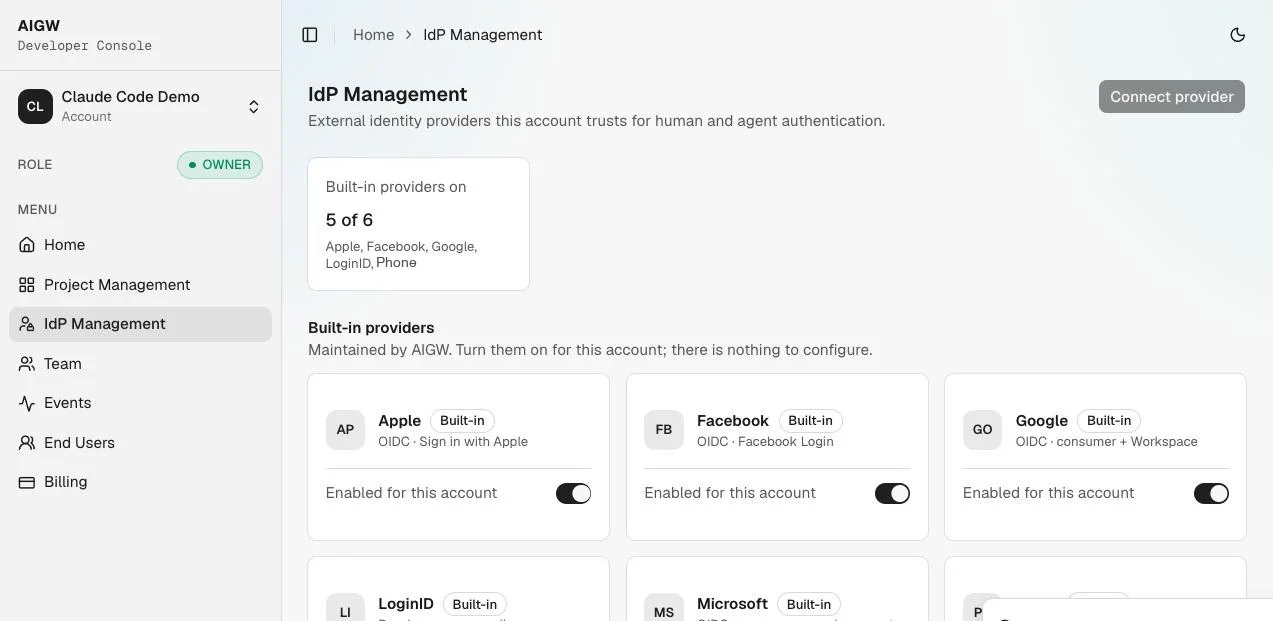
Planned Connect provider for a custom identity provider is not available in this release. Instead, use the built-in providers above.
Register a resource
Open the Project, then Resources, Register resource. Pick the kind first, because it changes what AIGW does:
| Kind | Use it when | AIGW's role |
|---|---|---|
| Token exchange | An agent acts through your MCP or UCP service and needs a merchant API that has its own authorization server. | Authorizes the user and agent, then obtains and manages a merchant access token from your AS. |
| OAuth client | A web or mobile app needs ordinary human sign-in. | Acts as the app's identity provider and issues OAuth/OIDC client configuration. |
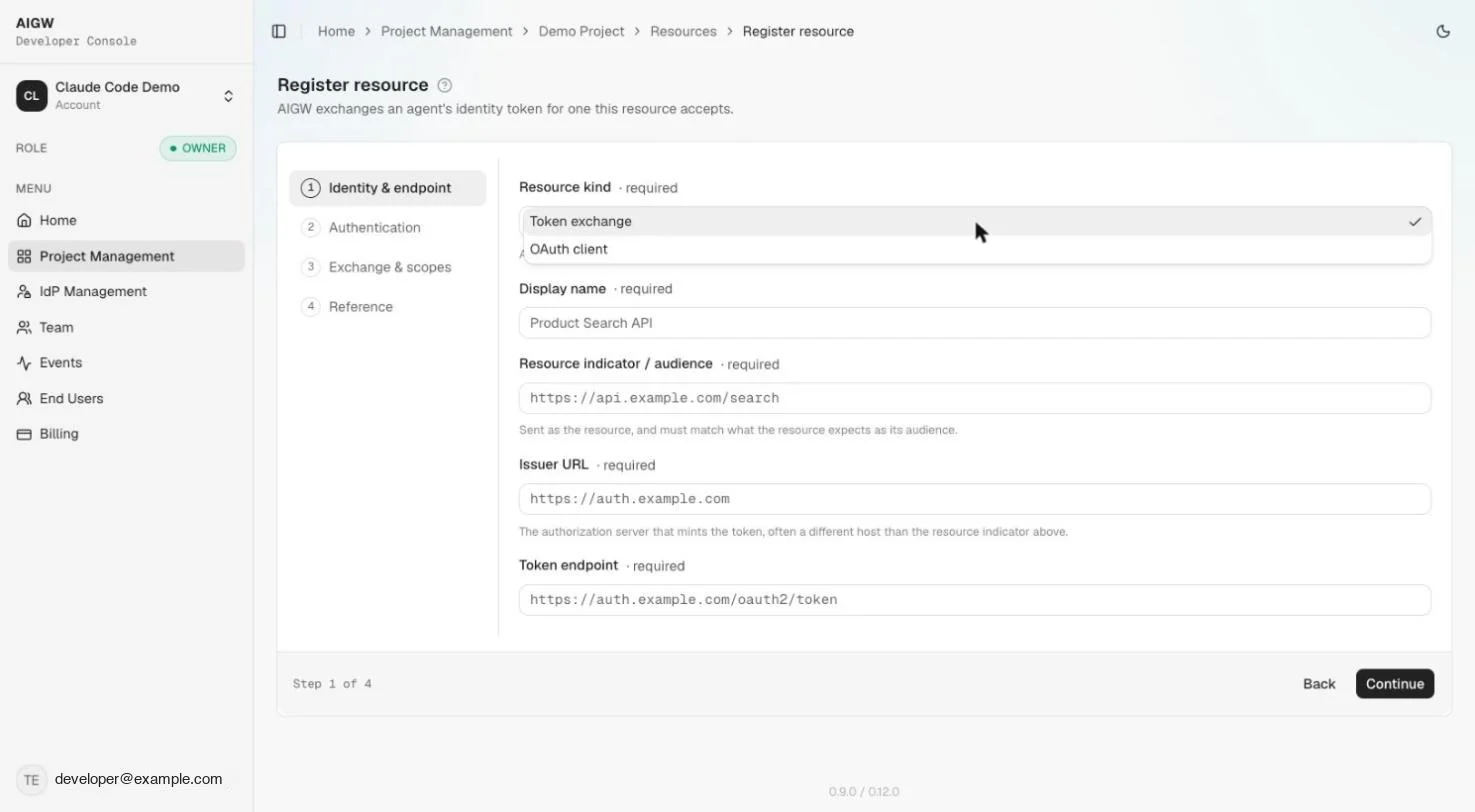
The Resource is created when you click Continue on step 3 of the wizard, and a signing key is generated at the same time. Step 4 shows the Reference values to hand to the merchant IAM team and the agent developer. Field details are under Resource reference.
Create a Proxy client
Who: MCP or UCP operator
Open Proxy clients in the Project and choose Generate new client. AIGW shows a client ID and a client secret.
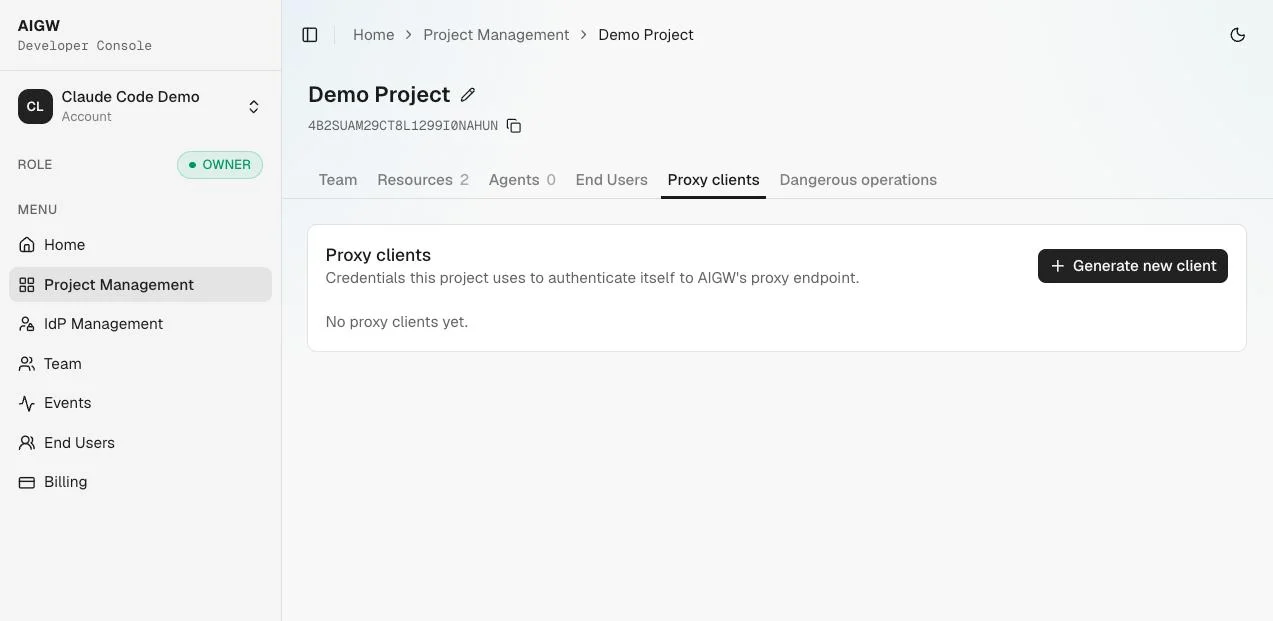
The secret is shown once
Save it straight into your server-side secret manager. If you lose it, generate a new client and revoke the old one. Never send the secret or the Proxy token to an agent or a browser.
Your service exchanges it for a Proxy token with the client credentials grant:
POST https://core.api.aigw.eval.loginid.ai/oauth2/tokenAuthorization: Basic base64(<CLIENT_ID>:<CLIENT_SECRET>)Content-Type: application/x-www-form-urlencodedgrant_type=client_credentialsSupported The token returned is a bearer token valid for one hour (expires_in: 3599). A Project can hold several Proxy clients, so you can rotate without downtime: generate a new one, switch your service, then revoke the old one from the list.
Resource reference
A Resource detail page has three tabs: Configuration (editable settings, Reference values and a Danger zone), Signing keys and Sign-in & consent. Deleting a Resource is permanent; agents using it can no longer exchange tokens for it.
Token exchange fields
The wizard has four steps: Identity & endpoint, Authentication, Exchange & scopes, and Reference. Collect the merchant values from the merchant IAM owner first.
| Field | What to enter |
|---|---|
| Display name | A name you choose, such as Acme Search API |
| Resource indicator / audience | The exact identifier of the merchant API, such as https://api.example.com/search. It is sent as the resource, and your service sends the same value when it redeems the merchant token. |
| Issuer URL | The merchant authorization server's issuer, often a different host from the Resource indicator. |
| Token endpoint | The merchant AS token endpoint AIGW calls. |
| Client ID | The exact Client ID the merchant registered for AIGW. Do not invent a separate one. |
| Client authentication | See the status table below. private_key_jwt is the default. |
| Identity providers | Optional. Only Account-enabled providers are listed. |
| Requested scopes | Scope value (such as search:read), display name and description. Display text appears on the consent screen. Every value must exist at the merchant AS. |
| Client authentication | Status |
|---|---|
private_key_jwt | Supported with the Playground's preconfigured Keycloak Resource. Unverified on a newly configured Resource. |
token_exchange | Unverified |
client_secret_basic | Unsupported The wizard accepts a client secret for it, but don't rely on it. Use private_key_jwt. |
The Reference step groups outputs by audience. For whoever verifies subject tokens: the expected aud, the client_id AIGW presents, the client authentication method, the per-resource authorization server, and a Download oauth-protected-resource.json button. For the agent developer: the JWKS URI, the OIDC and OAuth AS metadata discovery endpoints, the per-resource authorization endpoint and the core token endpoint.
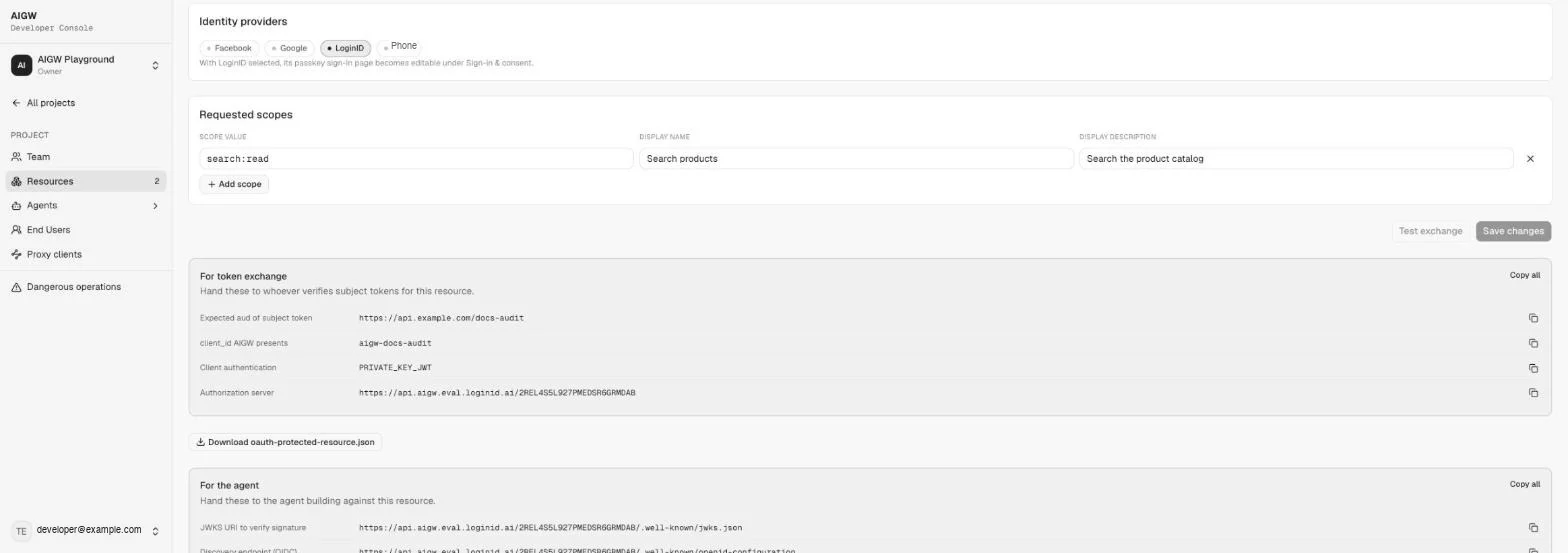
Setting up the merchant side of this Resource is covered in Configure your authorization server.
OAuth client fields
| Field | What to enter |
|---|---|
| Redirect URIs | Each exact callback URL in your app. Use Add redirect URI for more than one. |
| Token endpoint auth method | client_secret_basic, client_secret_post or none (PKCE). Use none (PKCE) for SPAs and mobile apps. Read-only after creation. |
| Allowed scopes | openid (selected by default), profile, email, phone, offline_access |
| Identity providers | Optional selection of Account-enabled providers. |
The Reference step shows the client secret once. Store it server-side immediately; it can't be retrieved again. It also lists the client ID, the per-resource authorization endpoint, both discovery endpoints and the authorization server base URL.
Signing keys
Each Resource has EC P-256 keys that sign ES256 assertions sent to the merchant AS. The tab shows the JWKS URL https://api.aigw.eval.loginid.ai/<RESOURCE_ID>/.well-known/jwks.json and every key with its kid.
| Action | Effect |
|---|---|
| New Signing Key | Creates a key and makes it Active. Older keys stay in the JWKS. |
| Rotate | Rotates a key. |
| Revoke | Stops a key being trusted. Revoke an old key only after verifiers no longer need it. |
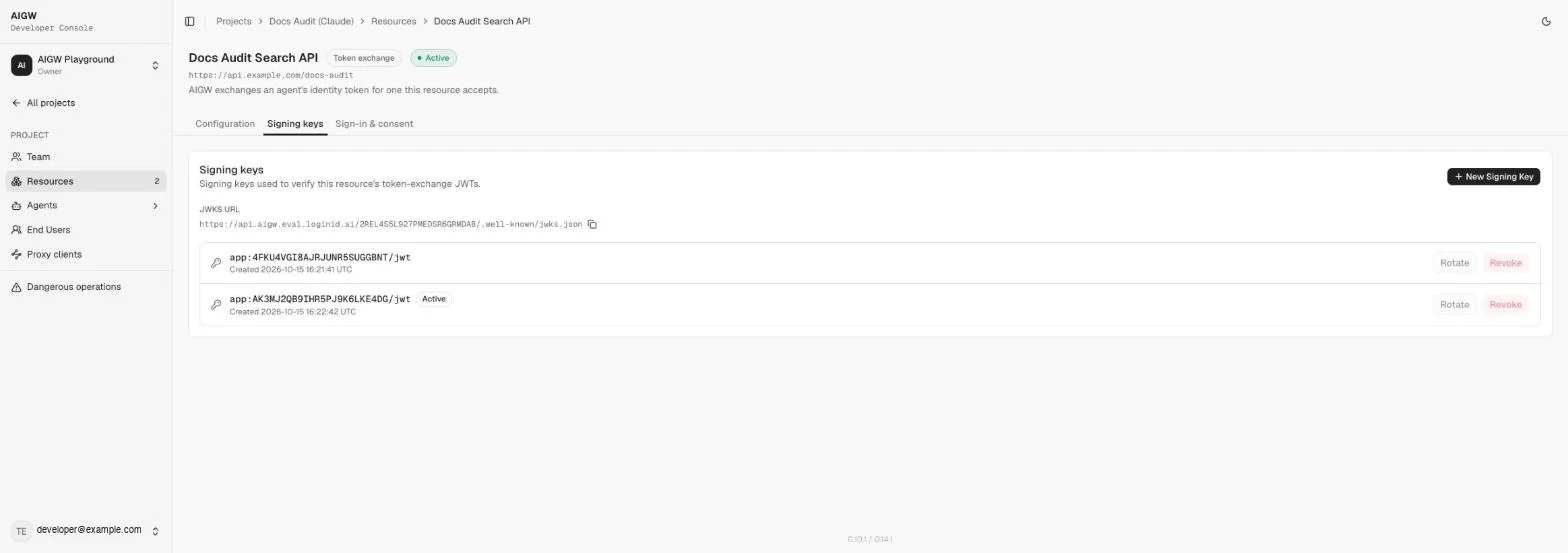
Sign-in and consent
Per Resource, Sign-in & consent sets appearance (logo URL, color scheme, radius, accent and action colors), behavior (emailed one-time code fallback, scope descriptions on consent, verified agent on consent) and screen text for both screens, with a live preview. The preview can differ from the real flow, so test the actual sign-in too.
Agent policy
Agent policy decides the status an agent gets the first time it asks for one of a Project's Resources. It lives under Agents, Agent policy and has four pages: How it works, Domain rules, Approval rules and KYA issuers.
New Projects approve every agent
A Project with no rules uses the system default, which approves everyone. Change the Approval rules if you want new agents held for review.
Agent statuses
| List | Meaning | Action |
|---|---|---|
| Pending | Waiting for a person. The authorization server refuses its requests until someone decides. | Approve or Reject |
| Approved | Allowed to reach the Project's Resources. | Revoke |
| Rejected | Refused. | None |
| Revoked | An earlier approval was withdrawn. | None |
Agent approval is separate from user consent. An approved agent still needs each user to consent to its scopes, and a blocked agent fails even with a well-formed OAuth request.
Evaluation order
The first time an agent asks for a Resource, AIGW applies the first rule that matches, in this order:
- A person's decision wins. If someone approved, rejected or revoked the agent in the Console, no rule changes it.
- Domain rules. Planned See Domain rules.
- Proof rules. Each proof the agent presents maps to a rule, and the most open outcome wins.
- The Unverified agents rule for an agent with no proof.
A Resource's own rules replace the Project's. A Resource without rules follows the Project, and a Project without rules uses the system default. Changing approval rules affects agents the first time they ask; agents already decided keep their status.
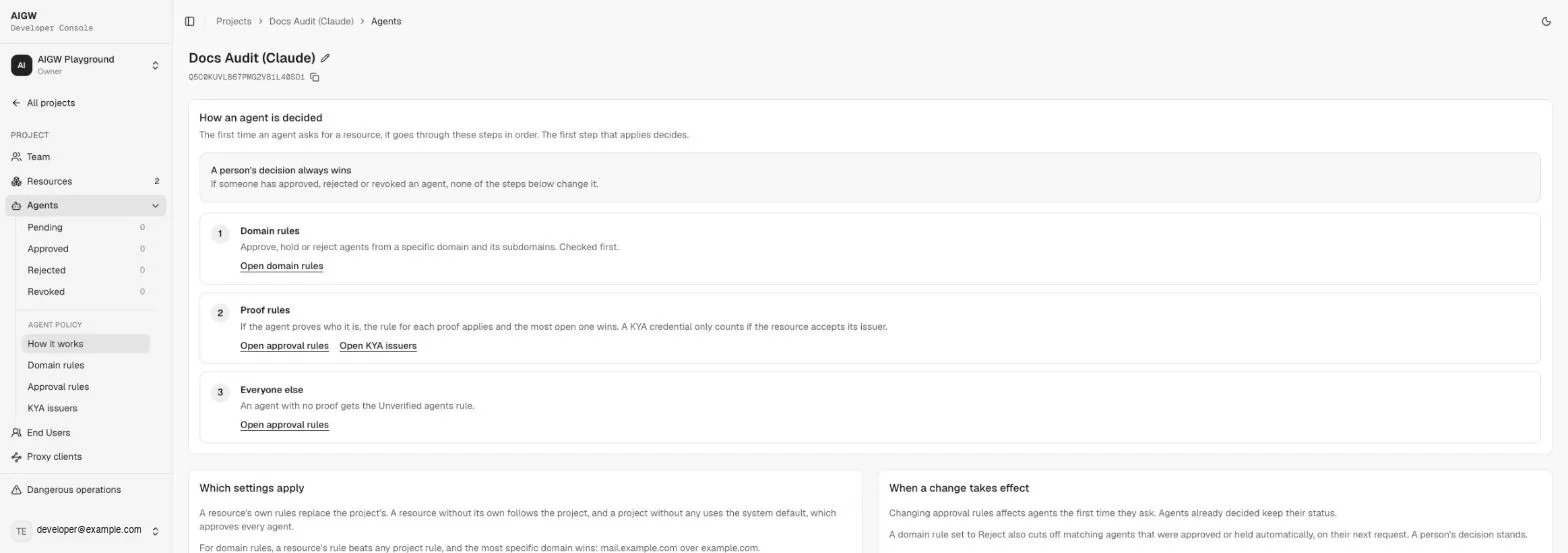
Approval rules
Each row is set to Reject, Hold (the agent goes to Pending) or Approve. Click Apply changes to save. Reset to system default removes the Project's rules, and Edit rules on a Resource gives it its own policy.
| Rule | Applies to | Status |
|---|---|---|
| Unverified agents | Agents with no proof of who they are | |
| Platform-trusted | Agents whose domain is on the platform's curated list of known agent platforms | |
| Web Bot Auth | Agents that sign requests with HTTP Message Signatures (RFC 9421), keys in their signature directory | Unverified |
| Reverse DNS | Agents whose network address resolves forward and back to their own domain | |
| KYA credential | Agents holding a credential from a KYA issuer the Resource accepts | |
| Hosted metadata | Agents serving their own client metadata document (CIMD) from their domain |
Agent verification and user verification
These are two separate checks, configured in different places.
- Agent verification proves which agent is asking. It uses the proofs above (platform-trusted, Web Bot Auth, reverse DNS, a KYA credential, or CIMD) and feeds Agent policy. A KYA credential is one of these agent proofs: a third-party issuer vouching for the agent.
- User verification (KYC) proves who the person is. It happens at sign-in through the identity providers enabled on the Resource. Phone verification, for example, checks phone possession and identity. Agent policy does not control it.
KYA issuers
KYA issuers is the list of Know Your Agent credential issuers whose credentials count for the KYA credential rule. Switch between the Project list and per-Resource lists at the top. For each issuer, turn acceptance on and set a minimum trust level:
| Trust level | Meaning |
|---|---|
| Trusted | Strongest. Fully verified and bound to the presenting client. |
| Known | Verified and bound, one step below Trusted. The minimum applied when none is set. |
| Declared | A reference only. Proof arrives later, with a signed request. |
| Unbound | Verified, but not tied to the client presenting it. |
| Untrusted | Weakest. No verification is established. |
If no issuer is accepted, agents are decided by the approval rules like any other agent. Planned Some issuers in the catalog show as Disabled and can't be enabled in this release. Instead, accept an enabled issuer, or rely on the other proofs and approval rules.
Domain rules
Planned Domain rules (approve, hold or reject agents from a domain and its subdomains) are not available in this release. Instead, set the Approval rules to Hold so new agents land in Pending, then approve or reject each agent by hand under Agents. A person's decision always wins over policy.
End users
End Users lists the people your agents have acted for, at the Account level and per Project (filterable by Resource).
Known issue: the End Users list fails to load
In this release the End Users list does not load. Instead, open Events at the Account level, which logs events across every Project with the time, event type, Project and user.
What works in this release
| Feature | Status | Notes |
|---|---|---|
| Proxy client credentials | Supported | One-hour Proxy token. |
| Token exchange Resource with private_key_jwt | Supported | Verified with the Playground's Keycloak Resource. Unverified on a new Resource. |
| token_exchange (RFC 8693) client authentication | Unverified | Test end to end first. |
| client_secret_basic client authentication | Unsupported | Use private_key_jwt. |
| Test exchange button | Unsupported | Shows no result. Test with a real flow or the Playground. |
| Web Bot Auth proof | Unverified | |
| Domain rules | Planned | Use approval rules plus manual approve and reject. |
| Disabled KYA issuers | Planned | Use enabled issuers or other proofs. |
| Custom identity provider (Connect provider) | Planned | Use the built-in providers. |
| End Users list | Known issue | Use Events. |