

Build an agent
Discover, register, authorize with PKCE, and call an MCP or UCP service.
Checked against the Evaluation environment, Console 0.10.1 / 0.14.1, on October 19, 2026. Release status
This guide is for developers building the AI agent or client. Your agent never needs the merchant's authorization server settings, the service's Proxy client secret or the merchant access token. It works with standard OAuth discovery, Dynamic Client Registration, Authorization Code with PKCE and bearer tokens. For the shortest path to a first token with curl, use the Quickstart.
See every request first
The Playground plays the agent and runs each step below against AIGW, showing the real requests and responses. Playground guide
What your agent holds
| Your agent may store | Your agent never receives |
|---|---|
| Its dynamically issued client_id and client_secret | The MCP/UCP service's Proxy client secret |
| The PKCE verifier and state for the current flow | The Proxy token |
| The AIGW access token, and a refresh token if issued | The merchant access token |
| The service's resource metadata and the discovered AIGW endpoints |
Before you start
- The MCP/UCP endpoint you want to call. AIGW finds everything else from the service's
401challenge. You don't need a Resource ID up front. - An HTTPS redirect URI you control. Registration only accepts absolute HTTPS URLs. For local work, expose your callback through a tunnel.
- A user who can sign in. They sign in with an identity provider enabled on the service's Resource and approve the consent screen.
| Environment | Host |
|---|---|
| Gateway API (discovery, registration, authorization) | https://api.aigw.eval.loginid.ai |
| Token endpoint (core) | https://core.api.aigw.eval.loginid.ai/oauth2/token |
| Console | https://aigw.eval.loginid.ai |
Run the flow
Each step uses values from the one before. Read endpoints from metadata at runtime rather than hard-coding them.
Call the service and handle the 401
Call the MCP/UCP endpoint normally. If it requires authorization, it answers 401 Unauthorized with a WWW-Authenticate header. Its resource_metadata parameter is the URL of the service's Protected Resource Metadata.
POST /mcp HTTP/1.1Host: mcp.example.comContent-Type: application/jsonHTTP/1.1 401 UnauthorizedWWW-Authenticate: Bearer resource_metadata="https://mcp.example.com/.well-known/oauth-protected-resource"Fetch the Protected Resource Metadata
Fetch the URL from resource_metadata. The document (RFC 9728) names the authorization server that protects the service. For an AIGW-protected service, that is the per-Resource AIGW authorization server.
GET https://mcp.example.com/.well-known/oauth-protected-resource{ "resource": "https://mcp.example.com", "authorization_servers": [ "https://api.aigw.eval.loginid.ai/<RESOURCE_ID>" ]}const prm = await fetch(prmUrl).then((r) => r.json());// Use the advertised base URL. Never hard-code a Resource ID.const authServer = prm.authorization_servers[0];Discover the AIGW endpoints
Append /.well-known/openid-configuration to the advertised authorization server. The discovery document lists the per-Resource authorization endpoint, the core token endpoint, the registration endpoint, the supported scopes (including the Resource's own scopes), PKCE support and the supported token endpoint authentication methods.
GET https://api.aigw.eval.loginid.ai/<RESOURCE_ID>/.well-known/openid-configuration{ "issuer": "<core issuer>", "authorization_endpoint": "https://api.aigw.eval.loginid.ai/<RESOURCE_ID>/oauth2/auth", "token_endpoint": "https://core.api.aigw.eval.loginid.ai/oauth2/token", "registration_endpoint": "https://api.aigw.eval.loginid.ai/api/register", "jwks_uri": "<core JWKS URL>"}Two hosts, read both from discovery
Authorization is per Resource (https://api.aigw.eval.loginid.ai/<RESOURCE_ID>/oauth2/auth). Token issuance is on the core host (https://core.api.aigw.eval.loginid.ai/oauth2/token), and issuer and jwks_uri point to core too. Don't derive one host from the other, and don't use a core authorization endpoint that may appear in registration metadata. Always send the user to the per-Resource authorization endpoint from discovery.
Pick the minimum scopes your MCP/UCP operation needs from the supported list. Resource scopes such as search:read appear here when the Resource defines them.
Register your agent
Dynamic Client Registration (RFC 7591) gives your agent its own OAuth client at runtime. No one sets it up in advance, and registration is merchant-agnostic: an agent registers once and can then reach any AIGW-protected merchant, with each merchant's policy applied on first contact.
POST https://api.aigw.eval.loginid.ai/api/registerContent-Type: application/json{ "client_name": "My agent", "redirect_uris": ["https://agent.example.com/callback"], "grant_types": ["authorization_code", "refresh_token"], "response_types": ["code"], "token_endpoint_auth_method": "client_secret_post"}{ "client_id": "<client_id>", "client_secret": "<client_secret>", "client_secret_expires_at": 0, "redirect_uris": ["https://agent.example.com/callback"], "token_endpoint_auth_method": "client_secret_post", "verification_method": "none"}The response also carries the domain AIGW derived from your redirect URI and a verification_method (none when the agent doesn't sign requests). client_secret_expires_at: 0 means the secret doesn't expire, so treat it like a long-lived API key.
Don't send resource scopes at registration
A single scope that isn't registrable for a dynamic client makes AIGW reject the whole registration. Leave scope out and request scopes in the next step.
Send the user to authorize, with PKCE
Generate a high-entropy code_verifier, derive code_challenge = BASE64URL(SHA256(code_verifier)), and create a random state tied to this transaction. Store the verifier and state until the callback completes, then build the authorization URL on the per-Resource endpoint.
import { createHash, randomBytes } from "node:crypto";const verifier = randomBytes(32).toString("base64url");const challenge = createHash("sha256").update(verifier).digest("base64url");const state = randomBytes(16).toString("base64url");// Store verifier and state with this transaction until the callback completes.const url = new URL(discovery.authorization_endpoint);url.search = new URLSearchParams({ response_type: "code", client_id: client.client_id, redirect_uri: "https://agent.example.com/callback", scope: "openid search:read", // the minimum your MCP/UCP operation needs state, code_challenge: challenge, code_challenge_method: "S256",}).toString().replace(/\+/g, "%20");// Send the user's browser to url.The browser flow is controlled by AIGW:
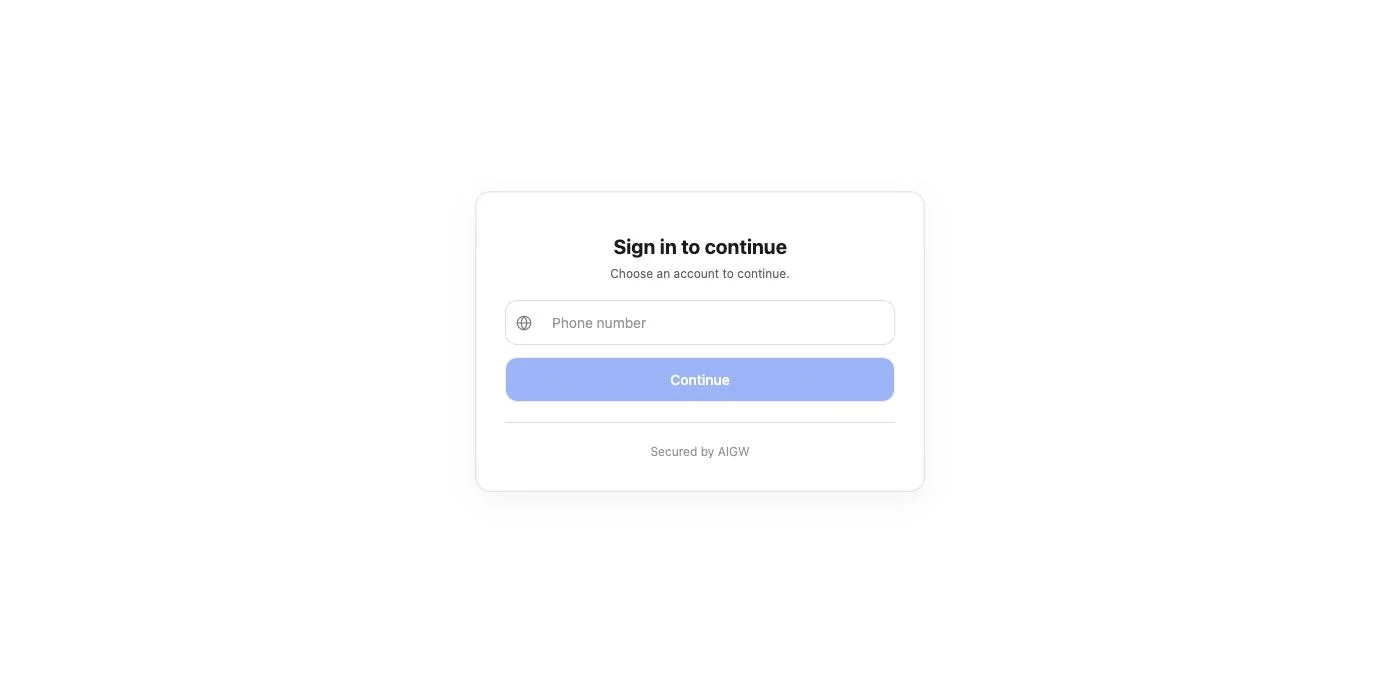
- The user signs in with an identity provider enabled on the Resource.
- AIGW shows the consent request with the configured scope descriptions.
- The user approves or denies.
- On approval, AIGW redirects to your registered callback with a code and your state.
Handle the callback
Compare the returned state with the value you stored for this transaction and reject any mismatch. Then take the code.
// AIGW redirects to:// https://agent.example.com/callback?code=<AUTHORIZATION_CODE>&state=<STATE>const params = new URL(req.url, "https://agent.example.com").searchParams;if (params.get("state") !== saved.state) { throw new Error("state mismatch: reject this callback");}const code = params.get("code");Exchange the code for tokens
Post the code to the core token endpoint from discovery with the same redirect URI and your original PKCE verifier. Send the client secret in the form body, matching the client_secret_post method you registered.
POST https://core.api.aigw.eval.loginid.ai/oauth2/tokenContent-Type: application/x-www-form-urlencodedgrant_type=authorization_code&code=<AUTHORIZATION_CODE>&redirect_uri=https://agent.example.com/callback&client_id=<AGENT_CLIENT_ID>&client_secret=<AGENT_CLIENT_SECRET>&code_verifier=<ORIGINAL_CODE_VERIFIER>{ "access_token": "<AIGW access token, a JWT>", "id_token": "<ID token>", "refresh_token": "<refresh token>", "scope": "openid search:read"}The access_token is your AIGW token. It records which user approved which agent for which scopes, and its aud is the Resource indicator it is bound to. It is not the merchant access token. The id_token carries the identity claims the user consented to, such as name, email and address, so treat it as personal data. Claim details are in the Token endpoint reference.
Call the service with the AIGW token
Retry the original MCP/UCP request with the AIGW access token as a bearer token.
POST /mcp HTTP/1.1Host: mcp.example.comAuthorization: Bearer <AIGW_ACCESS_TOKEN>Content-Type: application/jsonThe service pairs your token with its own server credential to obtain the merchant access token. Your agent takes no part in that exchange. From your side, the flow is complete when the service accepts the token, the tool returns a normal business response, and later calls can reuse the token while it is valid and scoped for the operation.
When a tool needs more scopes
Don't assume one token covers every tool on a server. If a later tool needs additional scopes, expect the service to return an authorization challenge or error, and run authorization again for the new set of scopes.
Store credentials safely
| Value | Lifetime | How to store it |
|---|---|---|
client_id and client_secret | Long-lived (secret does not expire) | Secret store for your agent runtime. Register once per agent install, not per request. |
code_verifier and state | One authorization transaction | Server-side session or transaction store. Discard after the exchange. |
| AIGW access token | Not documented for this release | Treat it as a credential. Never log it in plaintext. |
| Refresh token | Not documented for this release | Same protection as the client secret. |
id_token | Not documented for this release | Personal data. Keep it out of logs and analytics. |
Refresh tokens Unverified
The registration above requests the refresh_token grant, and the token response includes a refresh_token. The refresh flow itself has not been verified end to end in this release. If your agent needs a longer session, follow the standard refresh-token behavior advertised by discovery, and fall back to running the authorization step again if refresh fails.
# Standard OAuth 2.0 refresh request. Not verified against AIGW in this release.POST https://core.api.aigw.eval.loginid.ai/oauth2/tokenContent-Type: application/x-www-form-urlencodedgrant_type=refresh_token&refresh_token=<REFRESH_TOKEN>&client_id=<AGENT_CLIENT_ID>&client_secret=<AGENT_CLIENT_SECRET>Agent approval
User consent is not the same as project-level agent approval. The first time a newly registered agent asks for a Resource, the Project's agent policy sets its status. By default every agent is approved automatically. A Project can instead hold new agents as Pending, and authorization is refused until an operator approves them in the Console under Agents. A Pending, Rejected or Revoked agent can be denied even when its OAuth request is well formed.
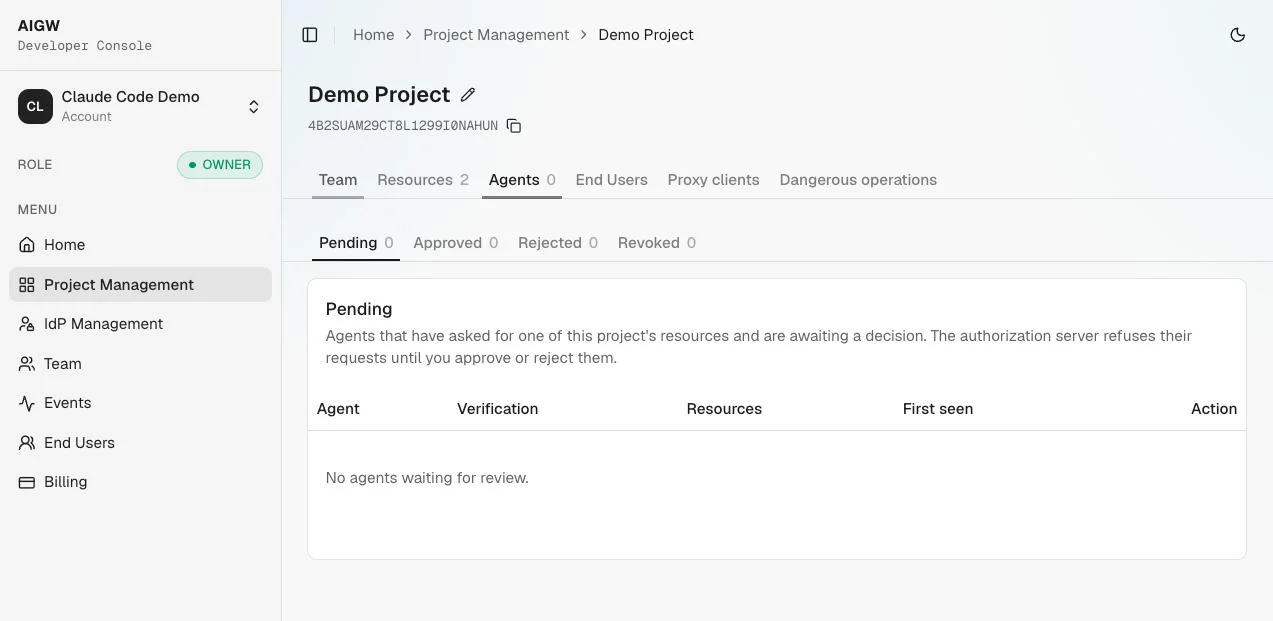
If authorization fails right after a successful registration, ask the Project operator to check your agent's status and the agent policy before you debug PKCE or the sign-in flow. Proofs of agent identity can earn a more open decision when the operator has configured them: a platform-trusted domain, Web Bot Auth request signatures, reverse DNS, a KYA credential from an accepted issuer, or hosted client metadata (CIMD). Web Bot Auth is Unverified in this release.
Release status for agents
| Capability | Status |
|---|---|
| Protected Resource Metadata and OAuth discovery | Supported |
| Dynamic Client Registration (client_secret_post) | Supported |
| Authorization Code with PKCE (S256) | Supported |
| Code exchange at the core token endpoint | Supported |
| Refresh token flow | Unverified |
| Web Bot Auth request signing | Unverified |
| Sign-in coverage for each identity provider | Unverified |
The full matrix is on Release status.
If something fails
| Symptom | Likely cause | Fix |
|---|---|---|
| Registration is rejected | A redirect URI is not absolute HTTPS, or the body includes a resource scope | Register with an HTTPS redirect URI and no scope. |
| Authorization is refused right after registration | The agent is Pending, Rejected or Revoked under the Project's agent policy | Ask the operator to approve it in Console, Agents, then restart the authorize step. |
| Authorization fails although the request looks correct | The agent used a core endpoint from registration metadata instead of the per-Resource authorization endpoint | Use authorization_endpoint from the per-Resource discovery document. |
| Code exchange fails | Different redirect URI, or a verifier that doesn't match the challenge | Reuse the exact registered redirect URI and the verifier stored for this transaction. |
More cases are in Troubleshooting.